
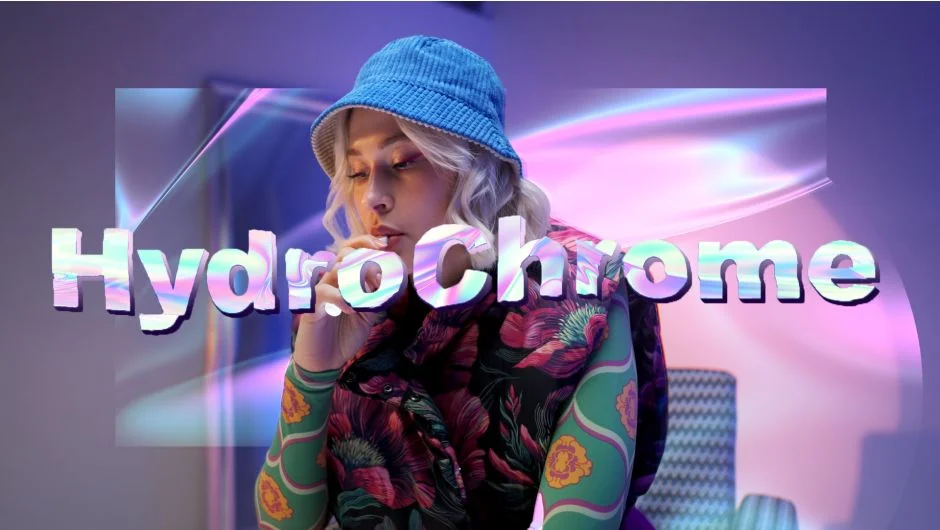
What It Does
HydroChrome generates abstract, flowing chromatic backgrounds or applies a “chromify” treatment to existing footage. The effect runs entirely on the GPU, so you see results in real time inside Premiere Pro and After Effects without any export/import round-trip. It works on both Mac (Intel and Apple Silicon, macOS 12+) and Windows.
Key Features
GPU-accelerated real-time rendering. Because the effect processes on the GPU via OpenCL/OpenGL, playback stays live. No pre-rendering needed to evaluate what your visuals look like.
Built-in presets. HydroChrome ships with several named presets, including Default, Super Chrome, Gradient, and Gallium, so you can get a usable result quickly and adjust from there.
Looping animation. Disable Follow Comp Time and animate the Time Offset parameter. The animation loops cleanly at every cycle, which makes it practical for background loops, title cards, or lower-third backdrops.
Broad compatibility. Supports Premiere Pro, After Effects, and Media Encoder from version 2022 through 2026. Older GPU support (GTX 1050/1080) was added in v1.1.1, and RTX 50-series issues were resolved in v1.1.2.
Who It’s For
HydroChrome suits motion designers and editors who need abstract visual backgrounds or iridescent overlays without leaving their NLE or compositing app. It’s particularly useful for music video work, broadcast graphics, title sequences, and social content where a generative, chromatic look fits the aesthetic.
Pricing
HydroChrome is a one-time purchase at $39.99 for a single-user license, which includes one installation and one archival copy. A free trial is available on the aescripts product page. Buying two or more Pixel Sorter Studio plugins at checkout applies an automatic 10% discount.