
What It Does
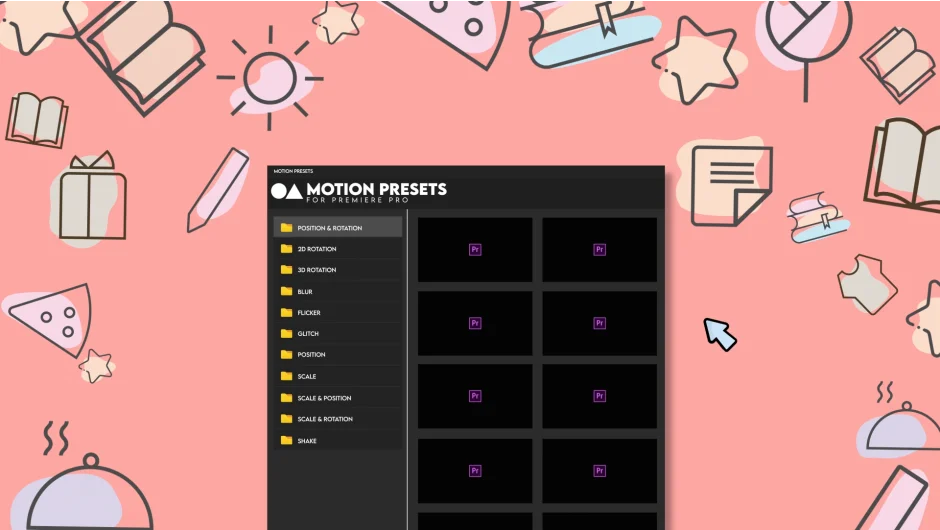
Motion Presets for Premiere Pro is a panel extension from LetsMotion that gives editors a library of ready-to-use animation presets built specifically for Premiere Pro. You browse previews directly in the panel, then apply any preset to your clip or layer with a single click.
Key Features
11 animation categories. The preset library spans 2D Rotation, 3D Rotation, Blur, Flicker, Glitch, Ball Position, Rotation Position, Scale, Scale Position, Scale Rotation, and Shake. Each category contains multiple variations, so you have options beyond a single look per effect type.
One-click preview and apply. You can see all animation previews at once in the panel before committing to one. Applying is a single click, so there is no manual keyframe work required to get standard motion effects on a clip.
Shake preset with adjustable intensity. The Shake effect is configurable from a subtle handheld-camera feel to more extreme motion graphics movement, making it useful for documentary-style footage and stylized title sequences alike.
Custom preset saving. You can create and save your own presets for reuse across projects.
Who It’s For
Editors who regularly need motion effects like camera shake, glitch, or scale animations and want to skip building keyframes from scratch each time. Particularly useful for social content, YouTube videos, and fast-turnaround projects where consistent motion styling matters.
Pricing
Motion Presets for Premiere Pro is a one-time purchase at $29.99 for a single-user license. It is also available as part of the LetsMotion Bundle alongside Subtitle Pro, Stock Search Pro, and Particle Pro, priced at $90 (regularly $120). A free trial is available on the product page.