
What It Does
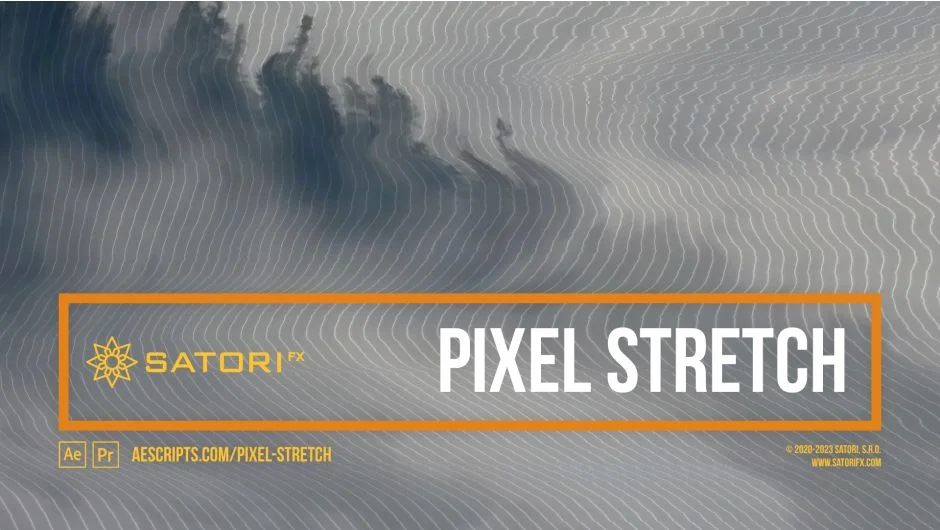
Pixel Stretch applies nonlinear pixel stretching to footage, using pixel brightness to determine how far each pixel extends in a given direction. The stretching is cumulative across each row or column, so each pixel offsets everything behind it on the same line. The result looks far more organic than standard line-stretch effects and can evoke analog TV glitches, data corruption, or abstract distortion depending on how you configure it.
It works as a plugin for both Premiere Pro and After Effects (CS6 through 2025).
Key Features
Stretch Curve. Maps pixel brightness to stretching amount. The default Linear Ramp Up mode leaves dark pixels unchanged and stretches bright ones to the maximum. Other modes include Linear Ramp Down, exponential curves, and triangular options. A Curve Phase parameter offsets the mapping, and Curve Smoothness helps blend discontinuous curves.
Intensity Source. You can use a separate layer to drive the stretching instead of the clip’s own luminance. This acts like a stretch mask, giving you precise control over which areas of the image distort.
Channel Selection. The effect can be applied to Luma, RGBA, individual channels (R, G, B, A), or alpha-preserving variants. Separating channels produces chromatic fringe-style distortion; applying to all channels equally keeps the look more cohesive.
Pixel Stretch Intensity. A global strength control introduced in v1.6.0. At 0% the effect is off entirely; at 100% it runs at full parameters. This single slider also modulates shading opacity and image shift, making it useful for animating the effect on or off without adjusting multiple values.
Distribution Mode. Controls how stretching spreads across the image. Constant applies stretching evenly; Linear Ramp Up and Ramp Down gradually introduce or withdraw the effect from one side. Combined with Stretch Start Offset and Distribution Range, you can isolate the distortion to a specific band of the frame.
Shading. An overlay system that adds interval-based shading patterns over the stretched result. Shading Interval Size and Phase control the pattern geometry; Shading Channel lets you dim the RGB or alpha channel; Shading Opacity controls intensity.
Edge Mode and Transparency Feather. When stretched pixels don’t fill the full frame, Edge Mode determines how gaps are handled (repeat, transparent, etc.). Transparency Feather softens the edges when using transparent fill, which makes the effect usable as a transition.
Subpixel precision is maintained throughout. Multi-frame rendering is supported. No GPU acceleration is used, so rendering is CPU-bound.
Who It’s For
Useful for motion graphics artists and editors who want glitch, degradation, or analog distortion looks without building them from scratch. The luminance-driven approach gives it a natural feel that standard displacement or line-stretch effects lack. Works well for title cards, music video visuals, horror or sci-fi aesthetics, and transitions. The channel separation options make it viable for stylized chromatic aberration-style effects too.
The free trial installs with a watermark and may crash on compositions taller than 4096 pixels. The full license is a one-time perpetual purchase covering one active installation plus one archival copy.
Pricing
One-time purchase at $39.99. No subscription required. Upgrade pricing may be available for previous buyers when logged in to the aescripts.com account.