
What It Does
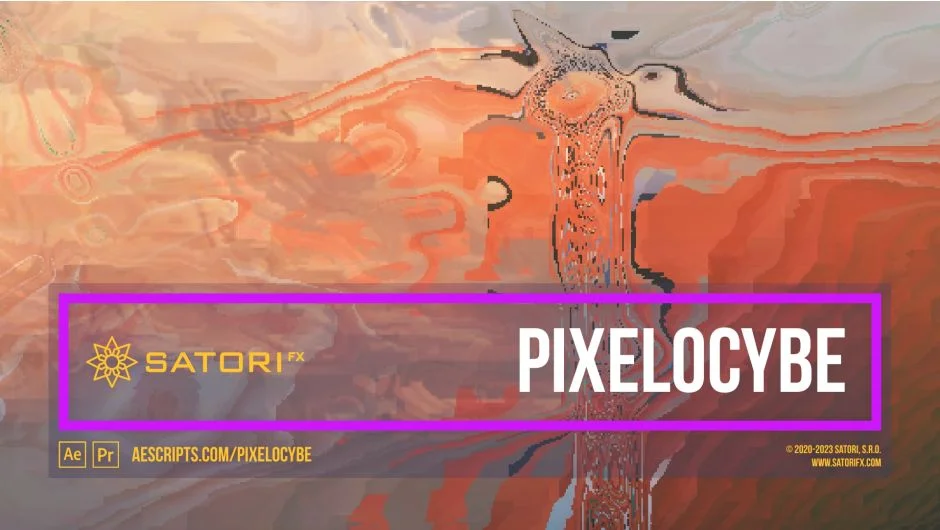
Pixelocybe generates mosaic distortions that vary per pixel based on luminosity. Unlike a standard pixelation effect that applies a uniform grid, Pixelocybe reads each pixel’s brightness and maps it to a mosaic block size and displacement amount. The result is an organic, shifting mosaic that changes shape based on the image content underneath.
A secondary input layer can be used to drive the effect independently from the layer being affected. Feed in a blurred version of your footage, a solid, or any other source, and Pixelocybe uses that layer’s luminosity to control the distortion. This opens up combinations that a single-input filter can’t achieve.
Key Features
Channel Modes. Apply the effect uniformly via overall luminance (Luma mode), separately across each RGB component, or to a single channel including Alpha. RGB mode in particular opens up colorizing possibilities that the Luma mode won’t produce.
Mosaic Curve controls. The curve is what determines how input luminosity translates to mosaic distortion. Parameters include Curve Phase (rotation offset in degrees), Curve Smoothness (for blending discontinuous curve types like linear ramps), and Curve Floor (sets a minimum distortion value so nothing fully collapses). A visual Curve Graph updates in real time, though it has display issues in CC 2014 and in the 2025 Light Color Theme.
Curve Phase Split (RGB). When filtering in RGB mode, this adds an additional phase offset applied separately to the R and B channels, producing a colorizing shift between channels without any extra effects.
Intensity Source input. Accepts any other layer in the composition as the luminosity source. Check “Effects and Masks” on the input layer if you want pre-processed footage (with blur, color correction, etc.) to drive the effect.
Shading. Smooths out flat luminosity regions horizontally, vertically, or both. Reduces harsh banding on areas with uniform brightness.
Transparency controls. Pixels above or below set luminosity thresholds become transparent, with Phase and Smoothing parameters to control where transitions occur. Useful for quick keying against a clean background or creating transition effects without masking.
Offset. Shifts where the mosaic samples its intensity horizontally and vertically, useful for animating the effect’s origin or creating drift without moving the layer itself.
Who It’s For
Pixelocybe fits best in motion graphics, music video work, and experimental visual content where distortion and abstraction are intentional design choices. It’s also practical for transitions, since the transparency controls can key out regions based on luminosity mid-effect. Editors working on psychedelic or glitch-adjacent aesthetics will get the most out of the dual-input pipeline.
It works in both Premiere Pro and After Effects (CS6 through 2025), on Windows and macOS including Apple Silicon. Multi-frame rendering is supported. GPU acceleration is not used.
Pricing
Pixelocybe is a one-time purchase at $31.99. A free trial is available via aescripts.com. Upgrade pricing may be available for prior buyers, visible after logging in.