
What It Does
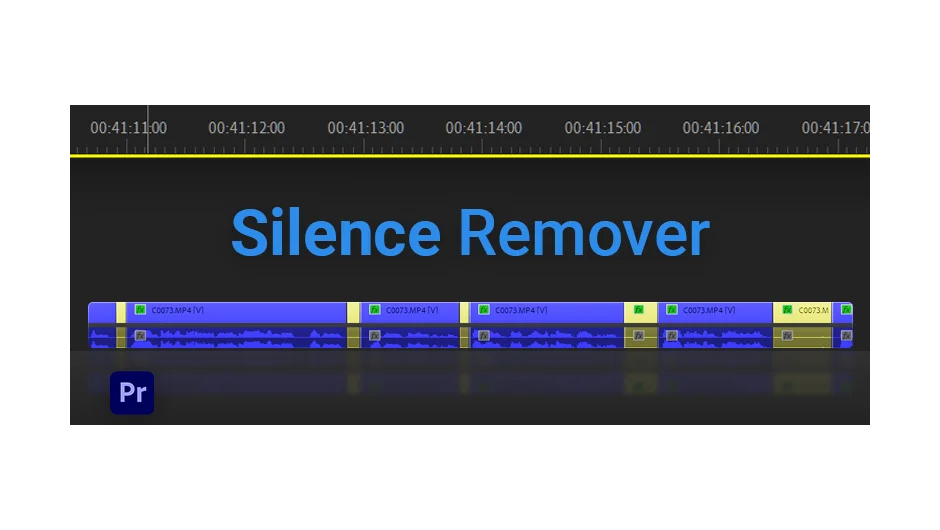
Silence Remover scans audio on your Premiere Pro timeline, identifies silent gaps, and colors them yellow so you can select and delete them in bulk. It reduces the tedious manual work of scrubbing through long takes, interviews, or podcast recordings to find dead air.
A free trial is available, and the plugin is sold as a one-time license via aescripts.com.
Key Features
Silence detection with color coding. Gaps that fall below your defined noise threshold are marked yellow on the timeline, visually separating silence from speech so you can bulk-select and delete without listening through the whole clip.
Noise Level control. A threshold slider lets you define what counts as silence. Anything below the red line is treated as a silent gap, which is useful when background noise would otherwise confuse the detector.
Minimum Time setting. Short pauses, like a quick breath or a half-second beat, can be excluded from detection. Set a minimum duration and the plugin ignores anything shorter.
Offset (In/Out). Adds a small buffer around each detected gap so cuts don’t feel abrupt. Since v1.1, the in and out offsets are controlled separately.
Remove Silence Directly. Added in v1.2, this option lets the plugin cut the silent sections automatically rather than just marking them, skipping the manual selection step entirely.
Track selection and multichannel audio. Choose which track to analyze and specify which audio channel to use, which matters for footage recorded with dual-channel or multi-mic setups.
Works on sequences and audio-only clips. Not limited to video clips with embedded audio. You can also import a standalone audio file, including an extracted MP3 for better accuracy on large video files.
Who It’s For
Most useful for editors working with talking-head content: interviews, YouTube videos, tutorials, podcasts cut to video, or any footage where the speaker pauses frequently. The first-pass cut it produces isn’t final-quality, but it removes the bulk of dead air quickly before you go in for fine editing.
Best practice, according to the documentation, is to prepare audio as a clean MP3 and import that for analysis rather than relying on embedded audio from large video files.
Pricing
Silence Remover is available as a one-time purchase at $49.99 for a single-user license. A free trial is available on the aescripts product page. Multi-user setups require multiple licenses. Upgrade pricing may be available for existing customers who log in to check eligibility.