
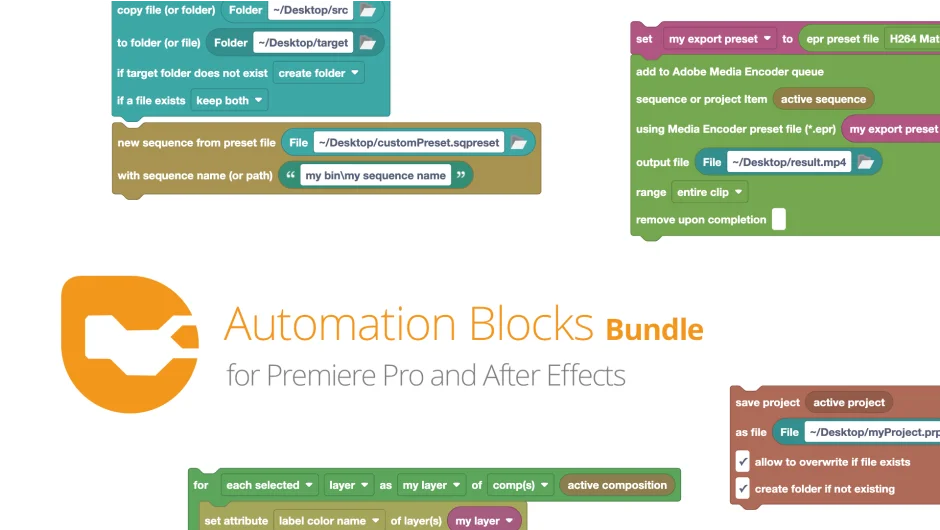
What It Does
Automation Blocks Bundle packages both the Premiere Pro and After Effects versions of Automation Blocks from mamoworld tools into a single purchase. The core idea is a visual, node-based interface where you connect modular blocks to build automated workflows, without writing a single line of code. Tasks that would normally require scripting knowledge or tedious manual repetition, like batch renaming clips, managing proxies, sorting by time, or applying effects across multiple items, get handled by dragging, dropping, and connecting pre-built blocks.
Key Features
50+ premade one-click tools. The library covers a wide range of tasks across both apps: text handling, audio markers, keyframe operations, file import and replace, project organization, duplication, rendering, and more. Most tools work immediately out of the box.
Visual drag-and-drop block editor. Workflows are built by connecting blocks in a visual canvas. No scripting or expressions knowledge is required to use or customize existing tools.
Full customization and build-from-scratch. Beyond the included tools, you can modify any premade block chain or assemble your own from primitives. Recent updates (v1.1.000) added remote HTTP execution, JSX code blocks, and file renaming capabilities, giving technically minded editors more flexibility.
Covers both Premiere Pro and After Effects. The Premiere Pro version handles timeline and sequence tasks like clip attribute changes, captions, proxies, and project item management. The After Effects version extends into comps, expressions, rigging, and animation.
Team workflow standardization. Because tools are shareable block configurations, studios can distribute standardized workflows across editors on a team.
Who It’s For
Editors who frequently repeat the same multi-step tasks and want to automate them without hiring a developer. It’s especially useful for post-production pipelines where consistency matters, such as renaming and organizing large ingest batches, managing proxy workflows, or applying standard effects across multiple sequences. The Premiere Pro side is practical for documentary and long-form editors; the After Effects side suits motion graphics artists dealing with large comp structures.
Buying the bundle makes the most sense if you work across both apps regularly. If you only use one, the standalone versions are available separately.
Pricing
- Automation Blocks Bundle (both apps): $99.99 one-time purchase, saving roughly 20% compared to buying each separately.
- Automation Blocks for Premiere Pro (standalone): $59.99 one-time.
- Automation Blocks for After Effects (standalone): $59.99 one-time.
Free trials are available for both apps individually before purchasing the bundle. Upgrade and crossgrade pricing may be available depending on your purchase history, so logging in on the aescripts site is worth checking before buying.