
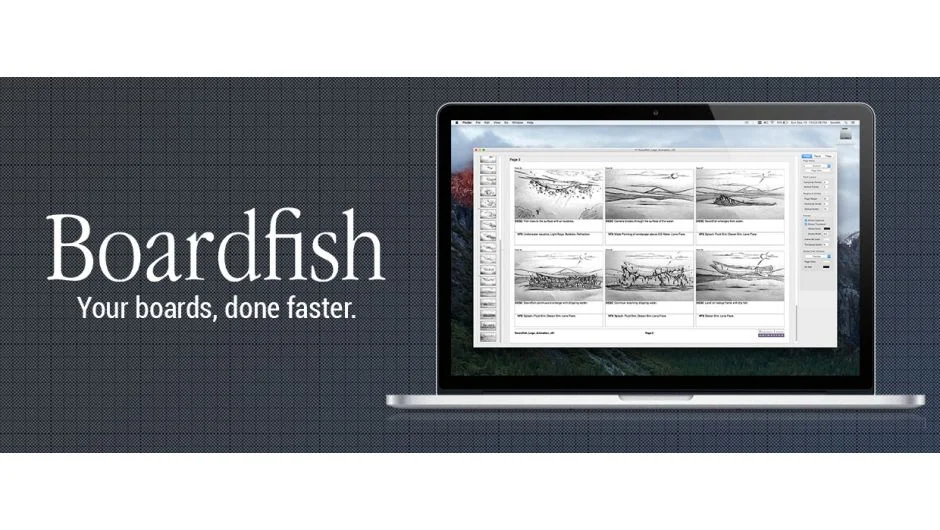
What It Does
Boardfish is a standalone Mac application built specifically for storyboarding. Rather than creating artwork inside the app, it focuses on the layout step: taking panels you’ve already made and arranging them into a clean, grid-based storyboard page. Source material can come from hand drawings, photography, 3D renders, or UX wireframes.
Key Features
Drag and Drop panels. Import images directly into the grid by dragging them in. No manual positioning by coordinates required.
Move Panels. Reorder panels within the layout after placing them, which is useful when shot order changes during a production.
Delete and Hide Panels. Remove panels entirely or hide them temporarily without destroying the layout, handy for presenting alternate versions of a board.
Being a native Mac app rather than a browser-based tool means performance stays consistent regardless of internet speed, which matters when shuffling large image files around a multi-panel layout.
Who It’s For
Directors, animators, UX designers, and production coordinators who work through a traditional storyboarding process and want a fast, offline tool for the layout stage. Boardfish was originally built as an in-house production tool at Swordfish-SF, so it was designed around real production needs rather than as a general-purpose design app.
Pricing
Boardfish was sold as a one-time perpetual license with no subscription. The product is no longer available for purchase on aescripts.com as of the time of this listing.