
What It Does
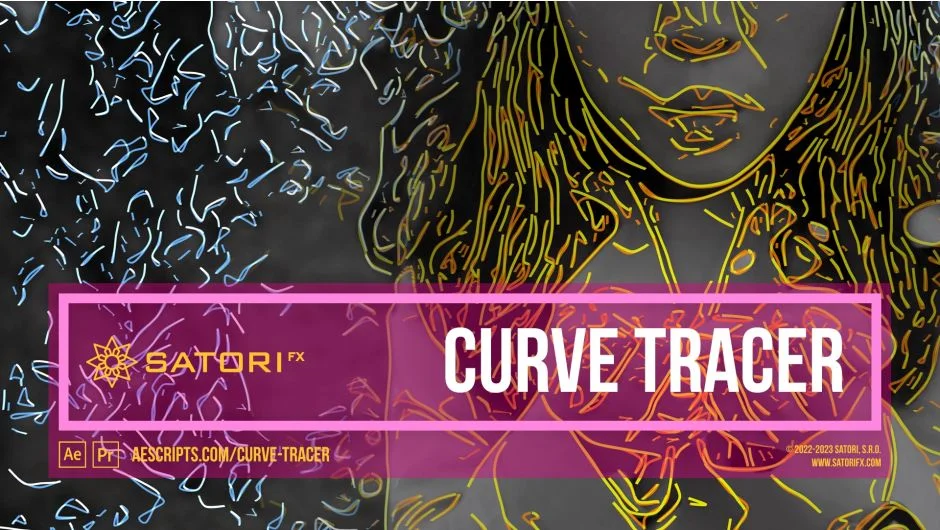
Curve Tracer analyzes the edges in your footage using Canny edge detection, converts those edges into vectorized splines, and renders them as continuous curves that mimic the look of a hand-drawn pencil sketch. The result can range from a clean technical illustration style to loose, gestural animation depending on how you tune the parameters. It works in both Premiere Pro and After Effects (CS6 through 2025).
The core idea mirrors how a human artist draws: rough sketching contours first, then more detailed main contours with optional shading to suggest depth and lighting.
Key Features
Canny Edge Detection controls. Image Smoothing applies Gaussian blur before detection to reduce high-frequency noise, giving splines a more organic feel. Low Limit and High Limit thresholds let you decide which edges are kept or discarded.
Curve Style options. Width, smoothing, and detail level are adjustable in vector space. Line Style switches between solid and dashed (short stroke) curves. Line Ending Length and Width taper the ends of each curve into a point, which goes a long way toward a natural drawing look.
Main and Lighting Contours. The main contour layer handles the base drawing. A separate lighting layer adds highlight curves rendered at a user-defined angle, simulating a light source hitting the drawing. Each layer has independent color, opacity, and source-color-mix controls.
Sketch Contours. A secondary layer of looser, more smoothed contours simulates preliminary pencil strokes. Sketching Steps controls how many overlapping sketch layers are added, each with progressively more smoothing.
Ghosting. One of the more distinctive features, Ghosting layers contours from adjacent frames (past or future) over the current frame with fading opacity. The effect resembles the motion smear of old hand-drawn cel animation. Strength, per-frame opacity, and time stepping (by frame or by second) are all adjustable, as is how the plugin handles frames at the boundaries of a clip.
Rendering post-processing. Skip Frame reduces effective FPS to mimic traditional cel animation jitter. Halo Main and Halo Highlight add a soft Gaussian bloom around the curves. Composite On Original overlays the drawn result back onto the source footage.
Twelve built-in presets provide starting points for different sketch styles without dialing in every parameter from scratch.
Rendering is GPU-accelerated, supports multi-frame rendering, and has no resolution cap.
Who It’s For
Curve Tracer is suited for motion designers and video editors who want to apply a hand-drawn or animated-sketch aesthetic to live footage or existing animations. It works well for music videos, title sequences, stylized intros, and any project calling for a non-photorealistic treatment. Because it’s a filter rather than a rotoscoping tool, the effect is driven by edge data, so footage with clear subject-background contrast will produce the most readable results.
Pricing
Curve Tracer is a one-time purchase at $43.99 via aescripts.com. A free trial is available for download. License options include Single User, Floating Server, and Render-Only. Existing users may qualify for upgrade pricing when logged in.