
What It Does
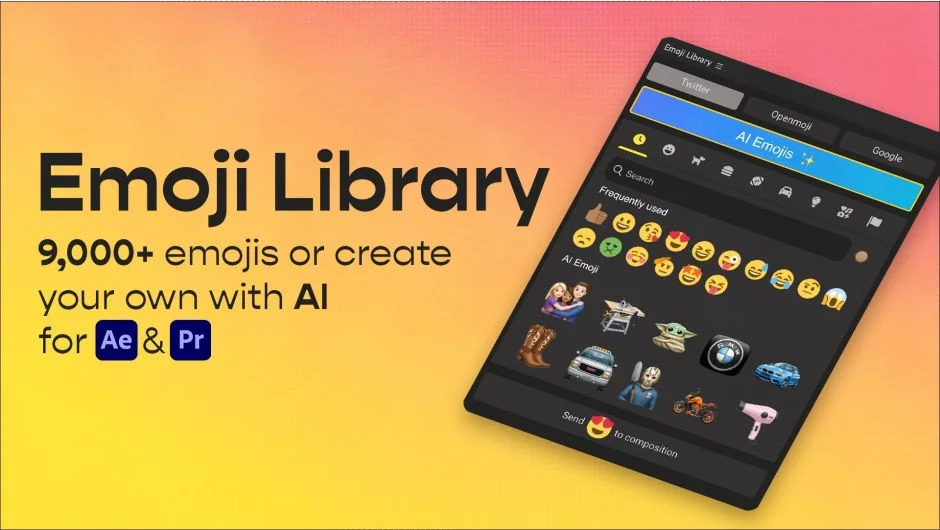
Emoji Library is an extension for Premiere Pro and After Effects that lets you search, browse, and import emojis directly into your project with a single click. Emojis are saved as PNG files (around 500x500px) into a dedicated /emoji folder in your project. No hunting through operating system emoji pickers or sourcing graphics manually.
Beyond the built-in library, the extension includes an AI generation tool. You can type a text prompt or upload an image to create a custom emoji that doesn’t exist in any standard set. Useful for brand-specific content, meme formats, or anything the standard library doesn’t cover.
Key Features
9,000+ official emojis. Sourced from Twitter Twemoji, Openmoji, and Google Noto. All are open-source and licensed for commercial use. Apple emojis are not included due to proprietary restrictions.
AI emoji generation. Generate custom emojis from text prompts or image uploads. Good for creating unique characters or objects that don’t exist in standard emoji sets.
Search and category filtering. Find a specific emoji quickly without scrolling through thousands of options.
Skin tone support. Six skin tone variants are available for applicable emojis.
One-click import. Clicking an emoji adds it directly to your Premiere Pro or After Effects project as a PNG, ready to place on the timeline.
Who It’s For
Content creators and social media editors who frequently use emojis as graphic elements in their videos. Also handy for motion graphics work where you need a quick, commercially safe emoji asset without leaving the app. Requires an internet connection to browse and download emojis.
Pricing
Emoji Library is a one-time purchase at $9.99. A free trial is available. The license covers two simultaneous instances. Commercial use is permitted under the open-source licenses of the included emoji sets.