
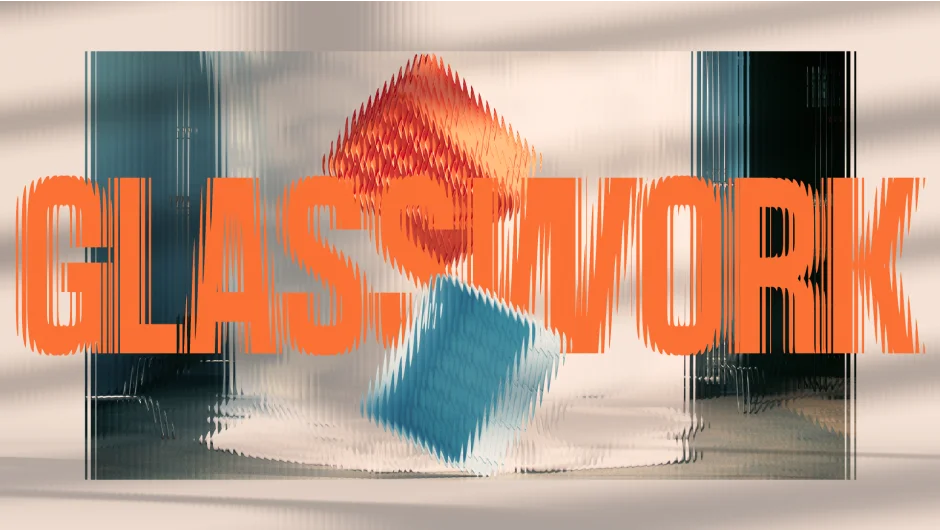
What It Does
Glasswork applies glass distortion effects to footage in Premiere Pro and After Effects. Apply it to a clip and you get a frosty, refracted, or patterned glass look rendered directly in the timeline via GPU. It covers everything from subtle frosted glass overlays to more pronounced geometric distortions.
Key Features
Five pattern modes. Choose from Stripes, ZigZag, Rhombuses, Waves, or the newer Custom Patterns mode added in v1.1.0. Each pattern produces a distinct optical effect, from linear streaking to faceted crystal-like distortion.
GPU-accelerated rendering. Processing runs on the GPU via OpenGL 3.3+, which keeps playback smooth during previewing. Note that it requires a connected display, so headless render machines are not supported.
Custom Patterns. The Custom Pattern mode gives you control over the shape and structure of the glass geometry, going beyond the preset pattern options for more original looks.
Full compatibility with Premiere Pro 2022 through 2026 on both Mac (Intel and Apple Silicon) and Windows.
Who It’s For
Glasswork suits editors and motion designers who want glass overlay effects without compositing work in a separate application. It fits naturally into music video editing, social media content with stylized aesthetics, broadcast graphics, and any project where frosted or refracted glass textures add visual interest to a shot.
Pricing
Glasswork is a one-time purchase at $39.99 for a single-user license. A free trial is available but displays a red X watermark over the image until a license is entered. Floating server and render-only license options are also available at different price points.