
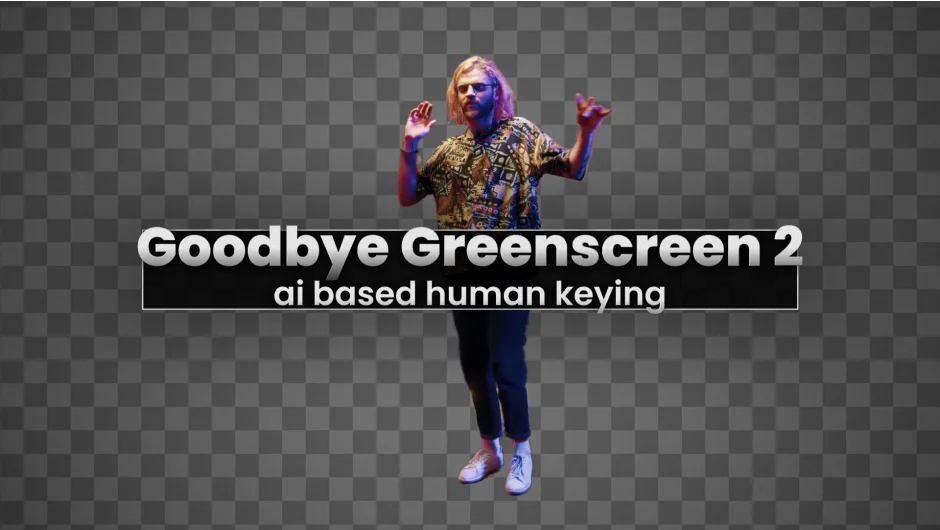
What It Does
Goodbye Greenscreen 2 uses AI to generate mattes for people in video footage, without any manual masking or keyframing. Drop it on a clip, pick a model, and get a clean alpha. It works on portrait shots, full-body footage, webcam footage, and group shots, handling difficult edges like long hair or busy backgrounds that would be tedious to rotoscope by hand.
All processing runs locally on your machine. Nothing is sent to a server.
Key Features
Automasking. The primary workflow. Seven AI models are available, including BiRefNet, currently one of the strongest open-source image segmentation models available. Switching models is easy if one gives better results on a particular shot.
Clean Plate Matting. If your scene doesn’t have a greenscreen but you do have a static clean plate, this mode combines the two to generate a matte. Think of it as a far more capable difference matte, useful for studio setups or controlled interview environments.
Color Keying. An AI-assisted color keyer for traditional greenscreen footage. Useful when you already have a greenscreen but want better edge handling than Premiere’s built-in Ultra Key.
GPU-accelerated, local processing. Best results on Windows with an NVIDIA GPU at 8GB VRAM or more. Apple Silicon with macOS Sequoia and at least 16GB RAM is also supported. Other macOS setups are not supported, and non-NVIDIA Windows hardware will be very slow.
Who It’s For
This is aimed at editors and compositors who regularly need to isolate people from backgrounds, whether for virtual sets, background replacement, or compositing work. It’s particularly useful when you don’t have greenscreen footage and need to rotoscope, or when Ultra Key isn’t cutting it on tricky hair or fine detail edges. The clean plate matting mode opens up background removal possibilities in controlled shooting environments without any color backdrop setup.
It works in both Premiere Pro and After Effects, so it fits into most Adobe-based workflows.
Pricing
Goodbye Greenscreen 2 is a one-time purchase at $79.99, available through aescripts.com. A free trial is available for download directly from the product page. Floating server and render-only license types are also available for studio use.