
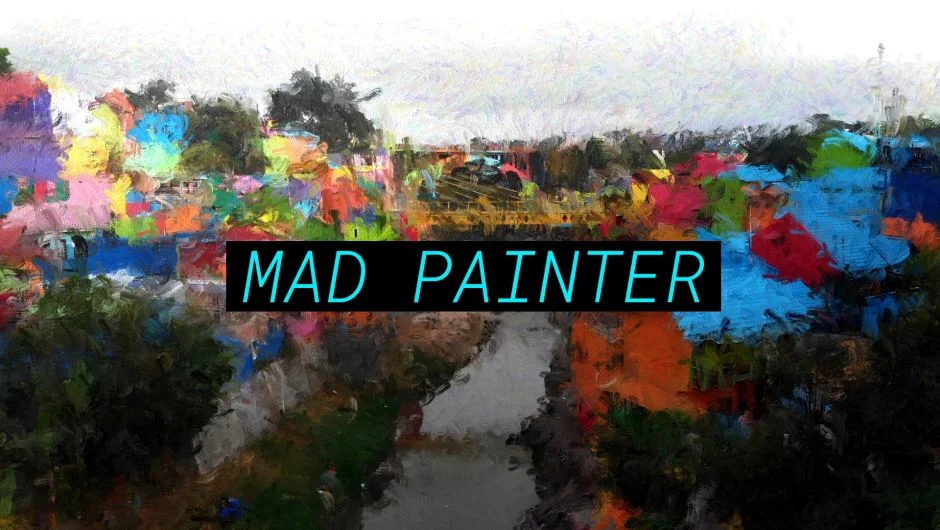
What It Does
MAD Painter applies animated brush strokes over your footage, producing a hand-painted look reminiscent of Van Gogh-style oil painting. The effect runs directly on your GPU, so you get real-time feedback in Premiere Pro and After Effects without a slow preview render cycle.
It works well for music videos, art-directed ads, or any project where you want footage to read as painted rather than filmed.
Key Features
GPU-accelerated rendering. The effect processes on your graphics card using CUDA or OpenCL on Windows, and natively on Mac Intel and Apple Silicon (macOS 12.0 or later). Computers without hardware acceleration are not supported.
Adjustable brush sizes. You can push brush scale from fine detail strokes to broad, expressive marks, which changes the overall character of the painted look significantly.
Full paint style control. The plugin’s UI exposes parameters for how strokes are generated and applied, giving you enough control to land somewhere between subtle texture and full abstraction.
Who It’s For
Motion designers and editors working on stylized content will get the most from this. It layers well in composites, so you can blend the painted effect against original footage or other effects. Users working in music videos, lyric videos, or experimental short films will find it fits that kind of aesthetic work.
Note that a free trial is available via aescripts.com if you want to test it against your footage before buying.
Pricing
MAD Painter is a one-time purchase at $49.99 for a single-user license. Floating server and render-only licenses are also available. A free trial can be downloaded from the product page.