
What It Does
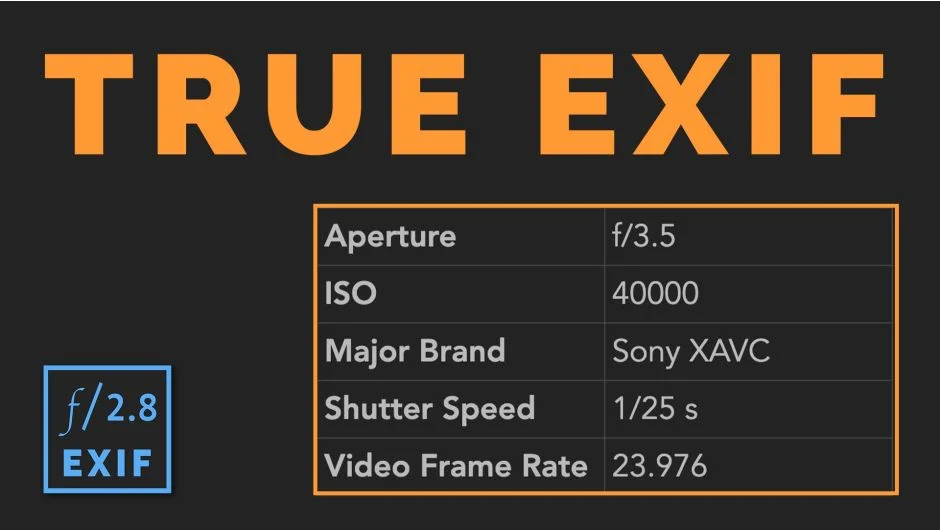
True Exif adds a panel to Premiere Pro that surfaces acquisition metadata from video and photo files, the kind of data that Premiere’s built-in metadata panel either hides or omits entirely. Things like shutter speed, aperture, ISO, and white balance are immediately visible without leaving the application.
For video files especially, this information is normally buried or inaccessible. True Exif pulls it out and puts it in front of you.
Key Features
Metadata display. Shows acquisition data including shutter speed, aperture, ISO, and white balance for both video and photo files. Particularly useful for video, where this data is otherwise hard to reach in Premiere.
Filtering and presets. Version 2.0 added the ability to filter through available metadata fields and save custom presets. If you only care about exposure data, you can build a preset that shows just that, rather than scrolling through everything.
Copy to clipboard. Any metadata value can be copied and pasted elsewhere, for example into a motion graphics layer if you want to display camera settings on screen.
Sony camera support. Added in version 2.0.0, expanding compatibility beyond the initial release.
Who It’s For
Useful for editors who need quick access to camera settings during review, documentary editors logging footage from multiple cameras, or anyone building graphics that display shooting parameters. It also helps when you receive files from a cinematographer and need to verify how something was shot without digging through reports or asking the crew.
Pricing
Completely free. No tiers or subscription required. Available via aescripts.com and compatible with Premiere Pro CC 2019 through 2025.