
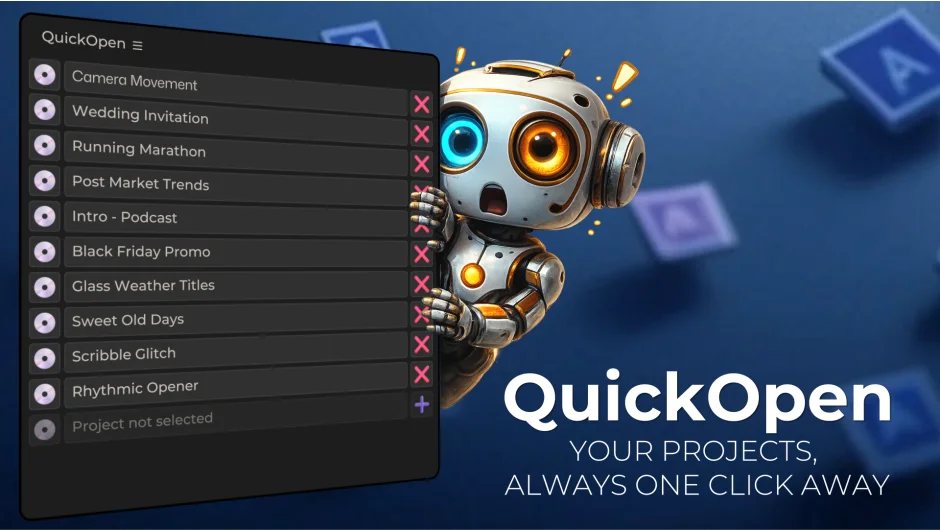
What It Does
QuickOpen is a panel for Premiere Pro and After Effects that replaces the standard File > Open Recent routine with a dedicated project launcher. Register up to 30 projects, click once to open, and save with automatic versioning to a pre-assigned folder. The developer claims the full open-work-save cycle drops from 2-3 minutes to around 5 seconds.
Key Features
Project slots. Store up to 30 projects in the panel with custom display names. Drag and drop to add projects, reorder them however you like.
One-click opening. No navigating through Finder or Explorer. Click a project name in the panel and it opens.
Smart Saving. Assign a specific save folder to each project. When you hit the save button, QuickOpen names the file automatically using comp or sequence names and increments the version number. No typing, no checking what version you’re on.
Customizable layout. Switch between horizontal and vertical panel arrangements. Scale the UI anywhere from 50% to 250% to fit your workspace.
Language support. Ships with 7 languages built in: English, Spanish, Hindi, French, German, Ukrainian, and Chinese.
Cross-platform. Works on Windows and macOS, supports Premiere Pro and After Effects from CC 2018 through 2026, and is network-ready for shared storage setups.
Who It’s For
Editors who work across multiple recurring projects will get the most out of this. Freelancers juggling several ongoing client projects, or anyone tired of digging through nested folders just to re-open a file they were in yesterday. The auto-versioning on save is genuinely useful for anyone who iterates frequently and needs a clean version history without manual file naming.
Pricing
QuickOpen is a one-time purchase at $9.99, sold via aescripts.com. A free trial is available. The license covers a single user with one install plus an archival backup copy.